Dilwado.Com
  • Home
  • News
    • Money
    • Gaming
    • Tech
    • SmartGoogleSearch
  • Login
No Result
View All Result
  • Free Fire
  • Money
  • Politics
  • Sports
  • Entertainment
Dilwado.Com
  • Home
  • News
    • Money
    • Gaming
    • Tech
    • SmartGoogleSearch
No Result
View All Result
Dilwado.Com

How to Change Your Gmail Address Without Losing Data in 2026

by dilwadodotcom
January 11, 2026
in Tech
Reading Time: 3 mins read
0
A A
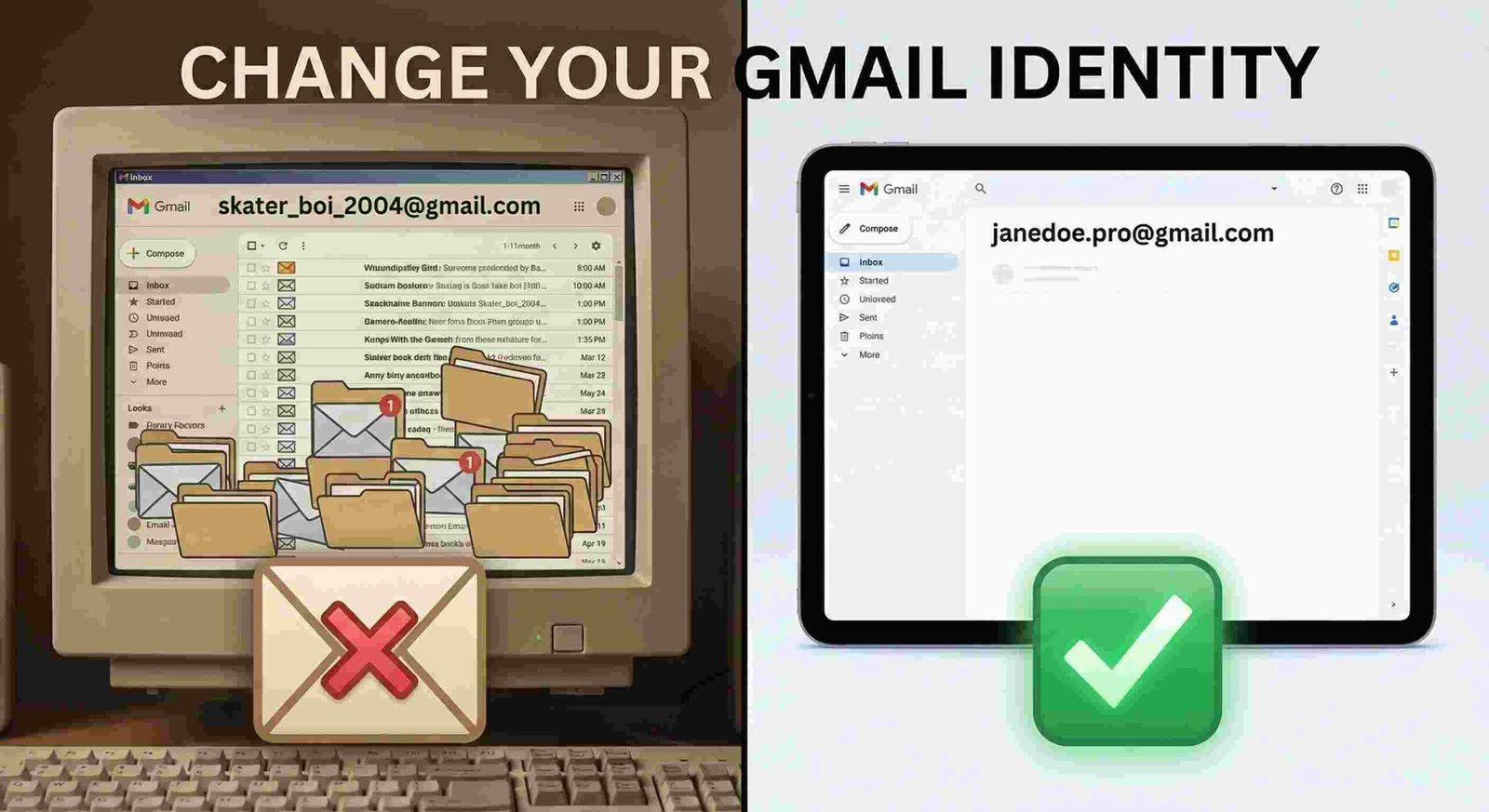
Before and after comparison showing cluttered old Gmail inbox versus clean organized new Gmail inbox with professional email address

Transform your messy old inbox into a fresh, organized email identity

Share on FacebookShare on Twitter

The 20-Year Wait is Over: How to Finally Change Your Gmail Address

We’ve all been there. You’re applying for a dream job or sending a formal invitation, but you’re still using the email address you made when you were fourteen. For the last two decades, if you wanted to get rid of skater_boi_2004@gmail.comYou had to abandon your entire digital life—YouTube history, Google Photos, and thousands of saved emails—just to start fresh.

Google has finally closed “The Gap.”

There is now a legitimate, safe way to swap your @gmail.com handle for a new one without losing a single byte of data. It’s not just a forward; it’s a total account transformation.

Related Post

Discover Akash Kumar Singh's journey from Ranchi student to tech entrepreneur. Founder of Dilwado.com, 400K+ YouTube creator, and Google Student Ambassador.

Akash Kumar Singh Tech Entrepreneur | Dilwado Founder | 400K+ YouTube Creator

September 6, 2025
0

Agentic AI: 5 Powerful Ways AI Systems Autonomously Transform Workflows in 2025

July 29, 2025
0

Multimodal AI: 5 Ways AI Processes Text, Images, Audio, and Video

July 29, 2025
0

Maximizing ROI with Amazon PPC in 2025: 7 Powerful Strategies for Big Profits

July 29, 2025
0
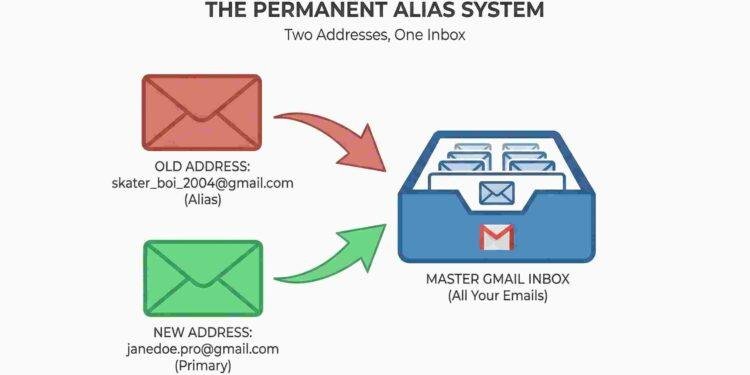
Diagram showing how Google permanent alias system works with old address and new address both pointing to one master Gmail inbox
The permanent alias system: Two addresses, one inbox—all your emails in one place

Understanding “The Gap” (Why this took 20 years)

You might wonder: “Why was this so hard for a multi-billion dollar company to fix?”

The answer is Technical Debt. When Gmail launched in 2004, your username was your unique ID. Everything—from your Android phone settings to your Google Pay—was hard-coded to that specific string of text. Changing it was like trying to change the foundation of a skyscraper while people were still living on the 50th floor.

The new Permanent Alias Model solves this. Google hasn’t actually deleted your old ID; they’ve simply layered a “Universal Alias” over it. This allows the old foundation to exist in the background while the world sees your new, professional identity.
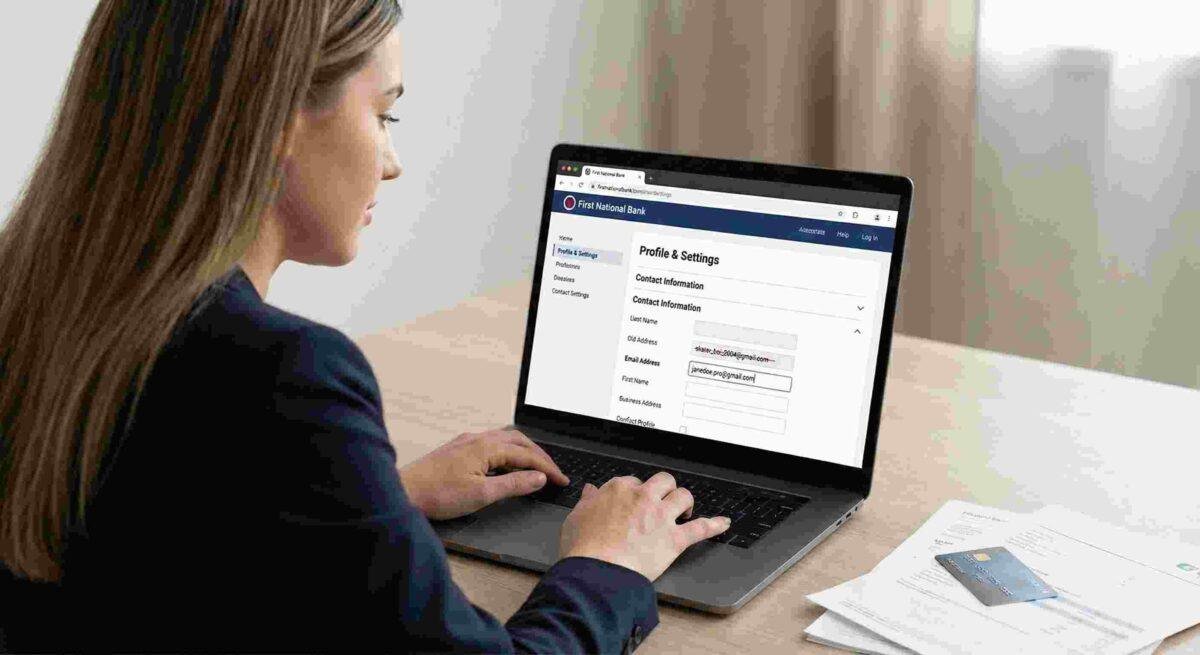
Woman using laptop to access Google Account Profile and Settings page showing menu navigation
Step 1: Navigate to your Google Account settings from any device

How to Make the Switch

The rollout is currently moving across the globe. Follow these steps to see if your account is ready for the upgrade.

1. The Security Check

Go to your Google Account Dashboard. Before you change your email, ensure your recovery phone number is up to date. If something goes wrong during the transition, you’ll need that phone in your hand.

2. Enter the “Personal Info” Zone

Click on “Personal info” in the left sidebar. This is the heart of your Google identity.

3. The Email Swap

Scroll down to Contact Info and click Email. Look for your primary address. If the feature is live for you, you will see a small edit icon (the pencil) or a button labeled “Change Username.”
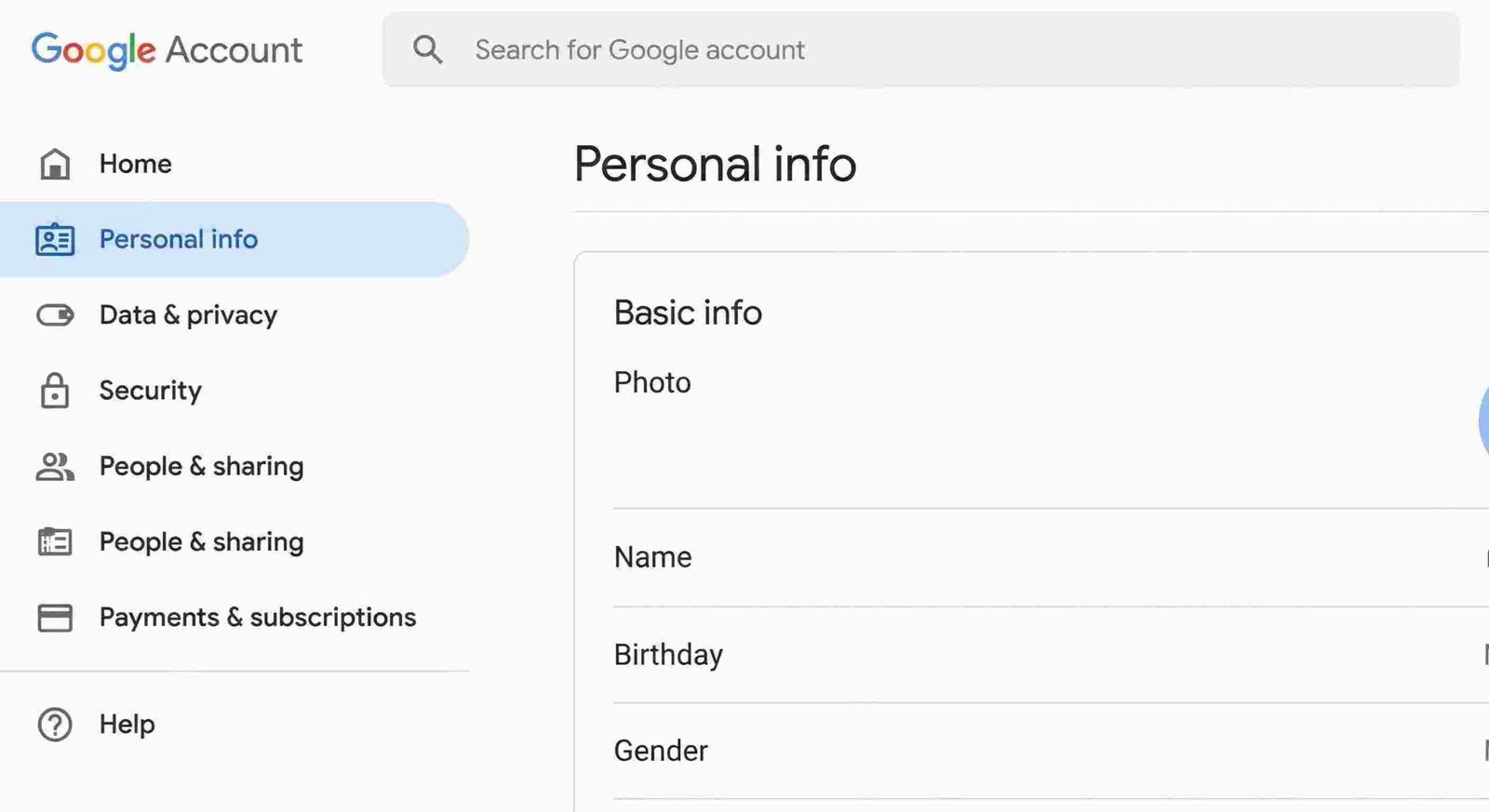
Google Account Personal Info page showing basic information fields including name birthday and gender settings
Step 2: Locate the Personal Info section in your Google Account dashboard

4. Claiming the New Handle

Type in your new desired name. Pro-tip: Don’t rush this. Check for typos three times. Because once you hit confirm, you are entering the “Cooldown Zone.”
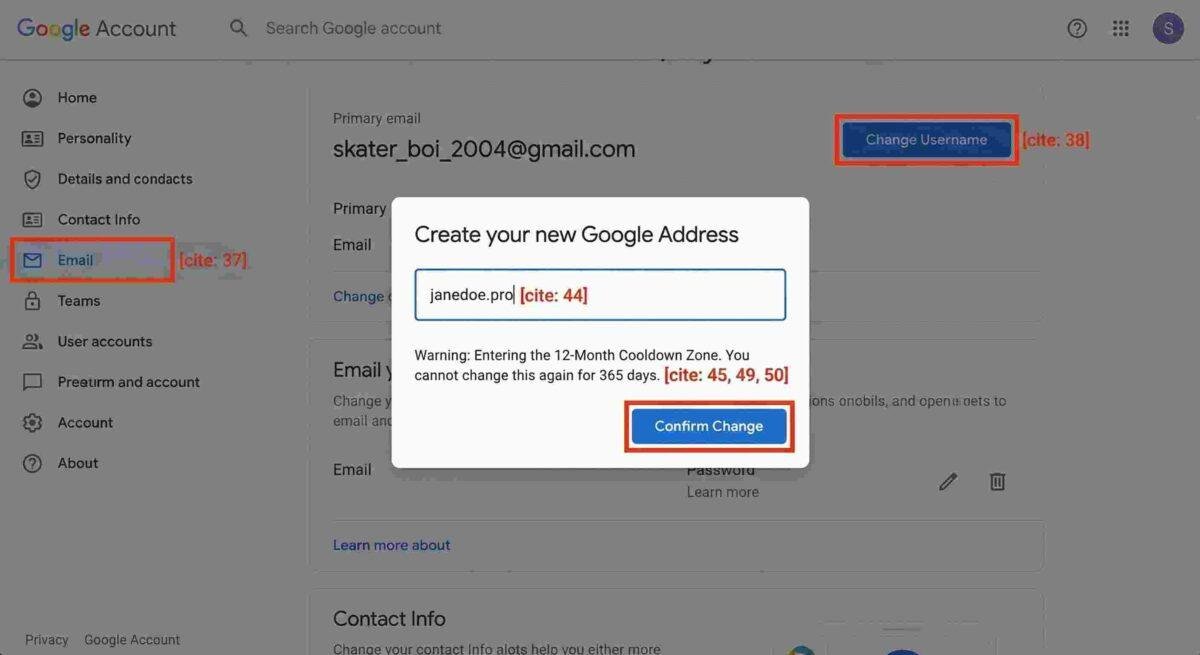
Google Account Email settings showing Create your new Google Address dialog box with cooldown warning notification
Step 3: Enter your desired new Gmail address and confirm the 12-month restriction

The “Fine Print” You Can’t Ignore

Google is generous with this feature, but they aren’t letting people change their names every week. There are three big rules:

  • The 12-Month Cooldown: Once you change your address, you are legally (digitally) that person for one full year. You cannot change it back or move to a third address until 365 days have passed.
  • The Lifetime Cap: You get four identities total (your original + 3 changes). After that, the door is locked forever.
  • The Permanent Ghost: Your old address doesn’t disappear. It becomes a permanent “alias.” Anyone who emails the old address will still reach you, which is great for security but means you can’t let a friend “take” your old username.

Real-World Checklist: What Happens Next?

Changing your email is 10% clicking buttons and 90% managing the transition. Here is what I recommend doing the hour after you switch:

  1. Update Your Banking: While the alias will catch the emails, your bank’s “Sender Verification” might get confused if you reply from a new address. Manually update your profile there.
  2. The “Send Mail As” Setting: Go into your Gmail settings (the gear icon) > Accounts and Import. Make sure your new address is set as the default “Reply” address; otherwise, you’ll keep outing your old handle every time you hit send.
  3. Third-Party Logins: If you use “Sign in with Google” for apps like Spotify or Canva, don’t worry. Those will still work perfectly.

Frequently Asked Questions

Will I lose my YouTube history or purchased movies? No. Everything you’ve ever bought or watched is tied to your account “DNA,” not the username. It all stays exactly where it is.

Can I change it back if I hate the new one? Yes, but only after the 12-month waiting period is over. Choose a name you can live with for at least a year.

Does this cost money? Currently, this is a free update for all personal @gmail.com users.

What about my Workspace/Work email? This guide is for personal accounts. If you have a company email (e.g., name@company.com), your IT manager is the only one who can change that for you.


Get real time update about this post categories directly on your device, subscribe now.

Unsubscribe

Related Posts

Discover Akash Kumar Singh's journey from Ranchi student to tech entrepreneur. Founder of Dilwado.com, 400K+ YouTube creator, and Google Student Ambassador.
Business

Akash Kumar Singh Tech Entrepreneur | Dilwado Founder | 400K+ YouTube Creator

by dilwadodotcom
September 6, 2025
0
Tech

Agentic AI: 5 Powerful Ways AI Systems Autonomously Transform Workflows in 2025

by Shem
July 29, 2025
0
Tech

Multimodal AI: 5 Ways AI Processes Text, Images, Audio, and Video

by Shem
July 29, 2025
0
  • Trending
  • Comments
  • Latest
Before and after comparison showing cluttered old Gmail inbox versus clean organized new Gmail inbox with professional email address

How to Change Your Gmail Address Without Losing Data in 2026

January 11, 2026
Complete official guide to Garena Free Fire 2024. Learn everything about Free Fire gameplay mechanics, battle royale features, characters with unique abilities, weapon systems, game modes, maps, ranking system, events, Battle Pass, clans, customization options, and step-by-step methods to get free Fire Drone custom items. Includes survival tips, combat strategies, and official methods for obtaining drone customizations.

Free Fire Complete Guide – Gameplay, Features & How to Get Drone Custom 2025

November 16, 2025
Discover Akash Kumar Singh's journey from Ranchi student to tech entrepreneur. Founder of Dilwado.com, 400K+ YouTube creator, and Google Student Ambassador.

Akash Kumar Singh Tech Entrepreneur | Dilwado Founder | 400K+ YouTube Creator

September 6, 2025
Smartphone showing Free Fire match overlaid with blue proxy icon and red warning sign, headline “Proxy Server Risks & Truth”.

Free Fire Proxy Servers: What They Are, Why Gamers Try Them, and the Risks You Need to Know (2025 Guide)

September 3, 2025
Top 10 Coolest Tech Products for Esports Players Available on Amazon and Online

Top 10 Coolest Tech Products for Esports Players Available on Amazon and Online

3
Russia’s Impressive New WiFi Hacking Trick

Russia’s Impressive New WiFi Hacking Trick

3
Cartoon Newtork Website Shut Down

Cartoon Network Shut Down: End Of An Era

1
How to Get a Personal Loan with Low Interest Rates: 10 Proven Strategies

How to Get a Personal Loan with Low Interest Rates: 10 Proven Strategies

1
Before and after comparison showing cluttered old Gmail inbox versus clean organized new Gmail inbox with professional email address

How to Change Your Gmail Address Without Losing Data in 2026

January 11, 2026
Complete official guide to Garena Free Fire 2024. Learn everything about Free Fire gameplay mechanics, battle royale features, characters with unique abilities, weapon systems, game modes, maps, ranking system, events, Battle Pass, clans, customization options, and step-by-step methods to get free Fire Drone custom items. Includes survival tips, combat strategies, and official methods for obtaining drone customizations.

Free Fire Complete Guide – Gameplay, Features & How to Get Drone Custom 2025

November 16, 2025
Discover Akash Kumar Singh's journey from Ranchi student to tech entrepreneur. Founder of Dilwado.com, 400K+ YouTube creator, and Google Student Ambassador.

Akash Kumar Singh Tech Entrepreneur | Dilwado Founder | 400K+ YouTube Creator

September 6, 2025
Smartphone showing Free Fire match overlaid with blue proxy icon and red warning sign, headline “Proxy Server Risks & Truth”.

Free Fire Proxy Servers: What They Are, Why Gamers Try Them, and the Risks You Need to Know (2025 Guide)

September 3, 2025
Dilwado.Com

© 2024 Dilwado.Com

Navigate Site

  • Home
  • News

Follow Us

Welcome Back!

Sign In with Google
OR

Login to your account below

Forgotten Password?

Retrieve your password

Please enter your username or email address to reset your password.

Log In

Add New Playlist

No Result
View All Result
  • Login
  • Home
  • News
    • Money
    • Gaming
    • Tech
    • SmartGoogleSearch

© 2024 Dilwado.Com

This website uses cookies. By continuing to use this website you are giving consent to cookies being used. Visit our Privacy and Cookie Policy.